Slash commands
You talk to the Football Nation bot with slash commands: type / in a channel, pick a Football
Nation command and fill in its options. The bot answers in the same channel.
Overview
| Command | Options | What it does |
|---|---|---|
| /live | name | Follow a team, league or cup in this channel |
| /live-stop | name | Stop following one team, league or cup |
| /live-stop-all | none | Stop following everything in this channel |
| /live-list | none | List what this channel follows |
| /live-upcoming | none | Upcoming matches of what this channel follows |
| /live-now | none | Matches being played right now |
| /league-table | league | Current standings of a league |
| /league-streaks | league | Longest winning, losing, draw and unbeaten runs |
| /set-language | language | Language of the notifications in this channel |
| /ping-role | role | Mention a role with every notification (admins only) |
| /doctor | none | Check and repair the channel's notification webhook |
| /predict | none | Enter predictions in the prediction game |
| /help | none | Short help with links |
Who can use the commands
- By default every member can run every command, except
/ping-role, which is for administrators only. - On Pro and Max servers an admin can tick Make all commands admin only commands
under Permissions on the dashboard.
Other members then get You are not the admin.
/predictstays open to everyone, so the prediction game keeps working. - The
/livecommands,/doctor,/set-languageand/ping-rolework in normal text channels, not in threads. - For
/livethe bot needs the Send Messages and Manage Webhooks permissions in the channel.
/live
Follow a team, league or cup in the current channel. From then on the bot posts the live events of its matches here. Start typing and pick a suggestion: the list shows the country between brackets, so you can tell teams with similar names apart.
/live name:jupiler-pro-league

The bot confirms and tells you when the first notification will arrive:
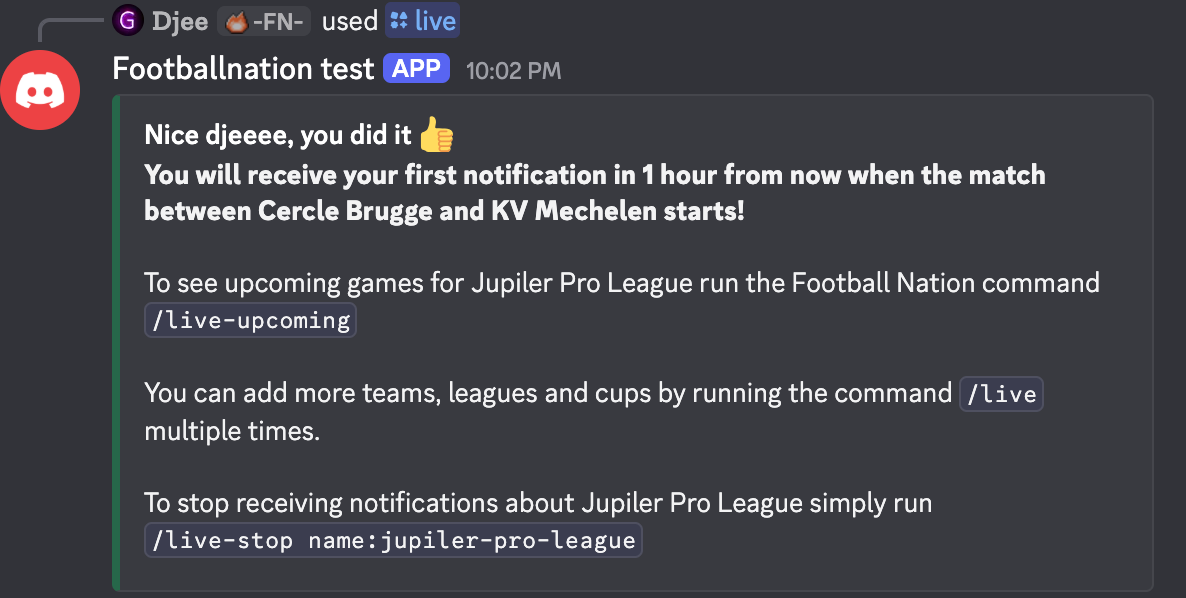
- Run
/liveagain to add more teams, leagues and cups to the same channel. - In a channel with a scoreboard,
/liveadds the team or league to the scoreboard instead of turning on notifications. - Can't find the exact name? See how to find the name to use.
- Which events are posted is set per server in the notification settings (Pro and Max).
/live-stop
Stop following one team, league or cup in the current channel. Use the same name as with /live.
/live-stop name:club-brugge-kv
/live-stop-all
Stop following everything in the current channel at once. There is no confirmation step, so run
/live-list first if you are not sure.
/live-stop-all
/live-list
List the leagues, cups and teams the current channel follows, with the number of each in the title. Long lists are split into pages of 20: use the « Previous and Next » buttons.
/live-list
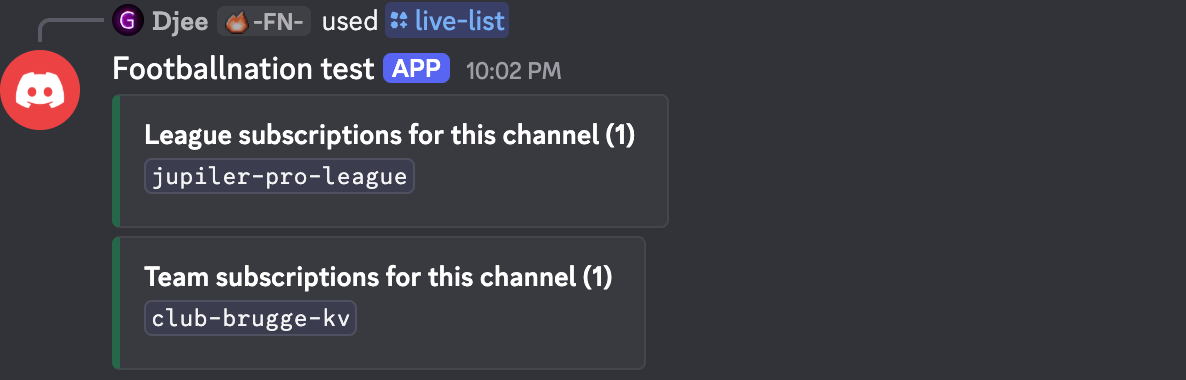
/live-upcoming
Show the next matches of the teams, leagues and cups the current channel follows.
/live-upcoming
- Pro and Max: the first page shows the next five matches of everything together. Buttons take you to a page per league, cup or team, and All brings you back.
- Free: one block per league, cup or team with its next matches, in one message.
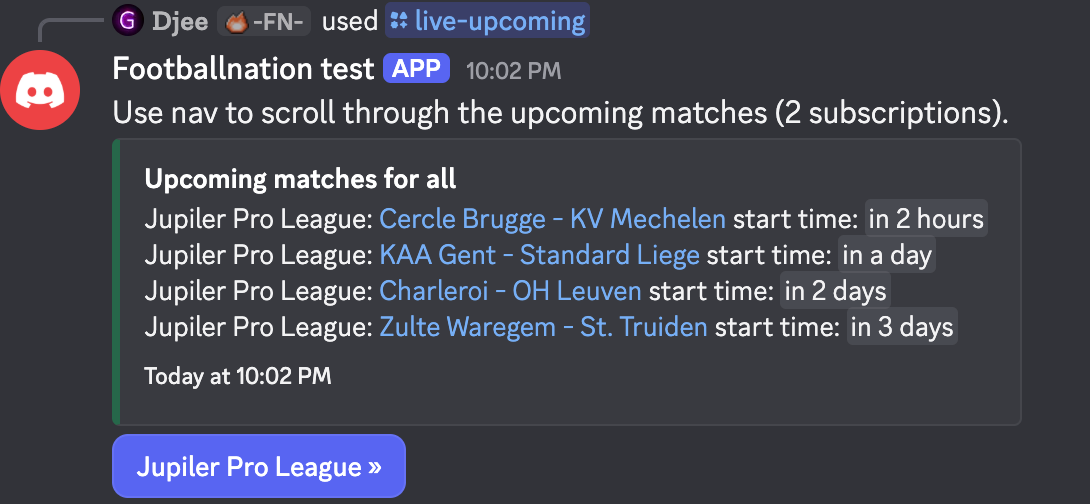
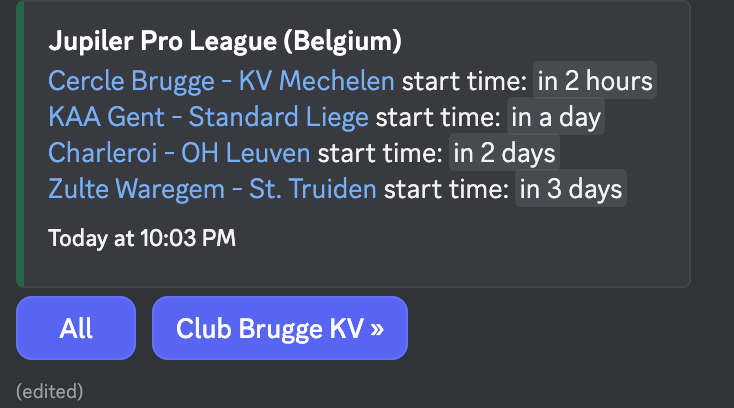
Example screenshots made with test data.
/live-now
Show up to five matches of the followed teams and leagues that are being played right now, with the score and
when they started. 1/2 or 2/2 marks the first or second leg of a two-legged tie, and
P a match that can end in a penalty shootout.
/live-now
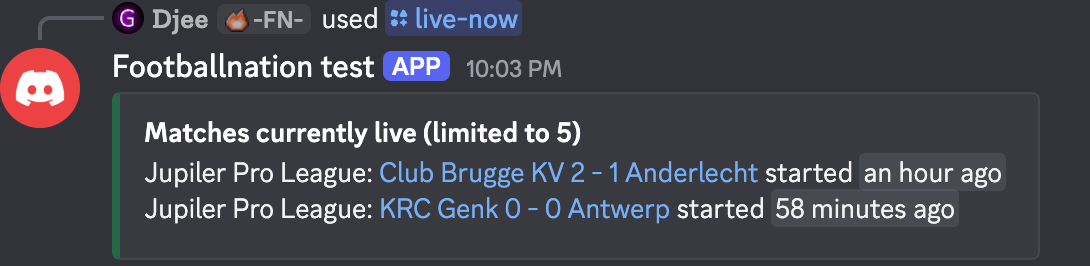
No match on? The bot says so and points you to /live-upcoming.
/league-table
Show the standings of a league. On free servers the bot shows the top five with a button to the full table on the website. Premium servers get an image of the complete table. Cups have no table.
/league-table league:premier-league
Want the table posted automatically every week? Use a league table automation (Max).
/league-streaks
Show the five longest current winning, losing, draw and unbeaten streaks in a league. Not available for cups.
/league-streaks league:premier-league
/set-language
Change the language of the live notifications in the current channel. Choose from English, Arabic, Brazilian Portuguese, Dutch, French, German, Greek, Hungarian, Polish, Spanish and Turkish. Other channels keep their own language.
/set-language language:German
/ping-role
Mention a role with every notification in the current channel, so members who want to follow closely get a ping. Pick the role from the list, or choose Disable pinging to stop. Picking the server's @everyone role pings everyone.
/ping-role role:Matchday
- Administrators only.
- The bot needs the Manage Roles and Mention @everyone, @here and All Roles permissions.
/ping-role role:disablealso turns it off.
/doctor
Notifications stopped in a channel? Run /doctor there. The bot checks the webhook it uses to post
notifications and answers with one of these:
/doctor
- Ping successful! The webhook works. If notifications still don't arrive, check what the
channel follows with
/live-listand your notification settings. - No webhook found, then Webhook created! The webhook was missing and the bot made a new one. Notifications work again.
- Failed to create webhook! Give the bot the Manage Webhooks permission in
the channel and run
/doctoragain.
Still stuck? Ask in the support server.
/predict
Enter your predictions for the upcoming matches of the prediction game in this channel. The bot keeps asking until you have predicted every open match. The game itself is set up on the dashboard: see the prediction game guide.
/predict
/help
A short overview of the commands, with links to this documentation, a how-to video, the support server and the privacy policy.
/help
Related
- Getting started with the bot
- Live score and event notifications
- Self-updating scoreboards (Pro and Max)